Voice-tracked scrolling
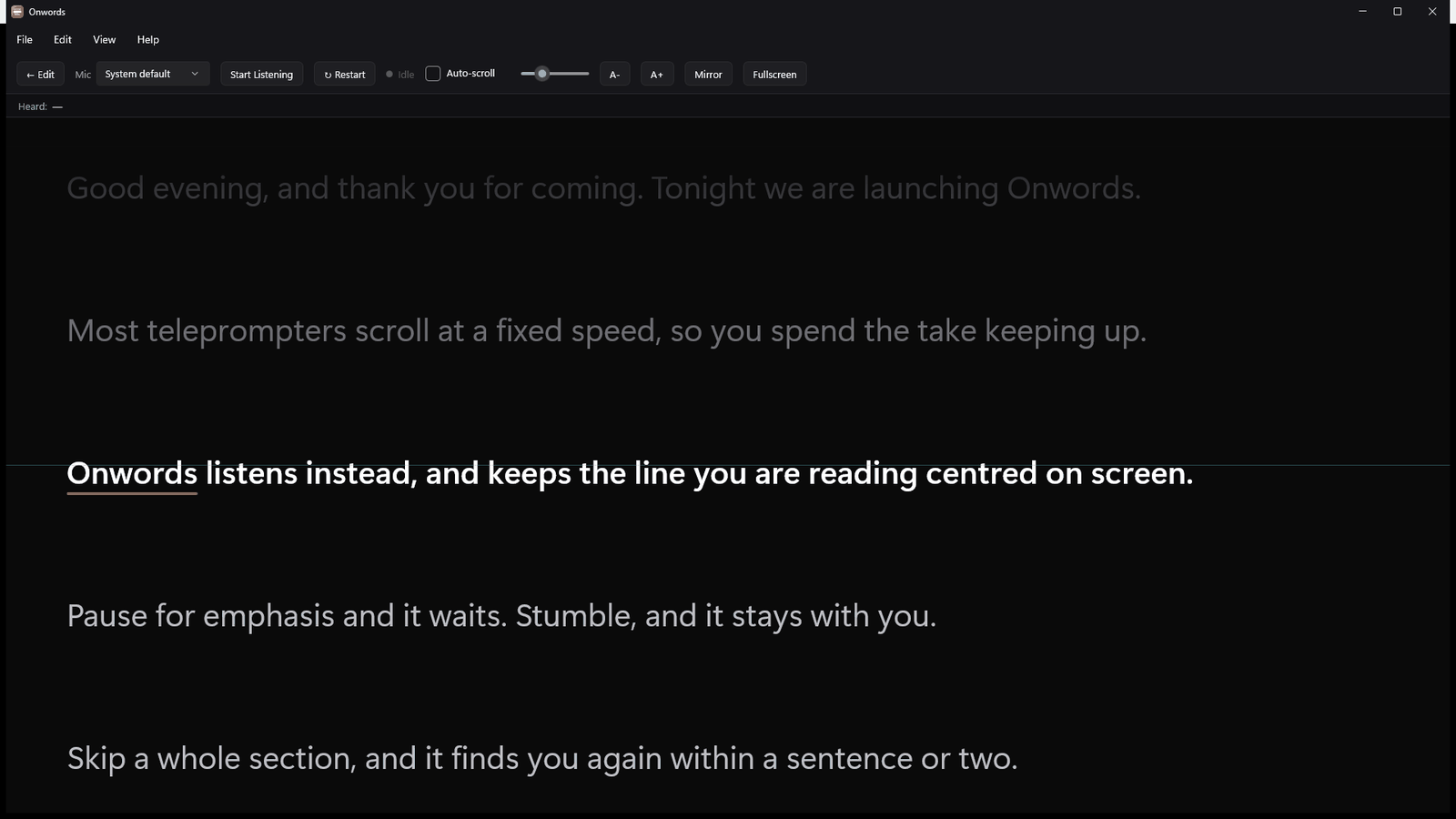
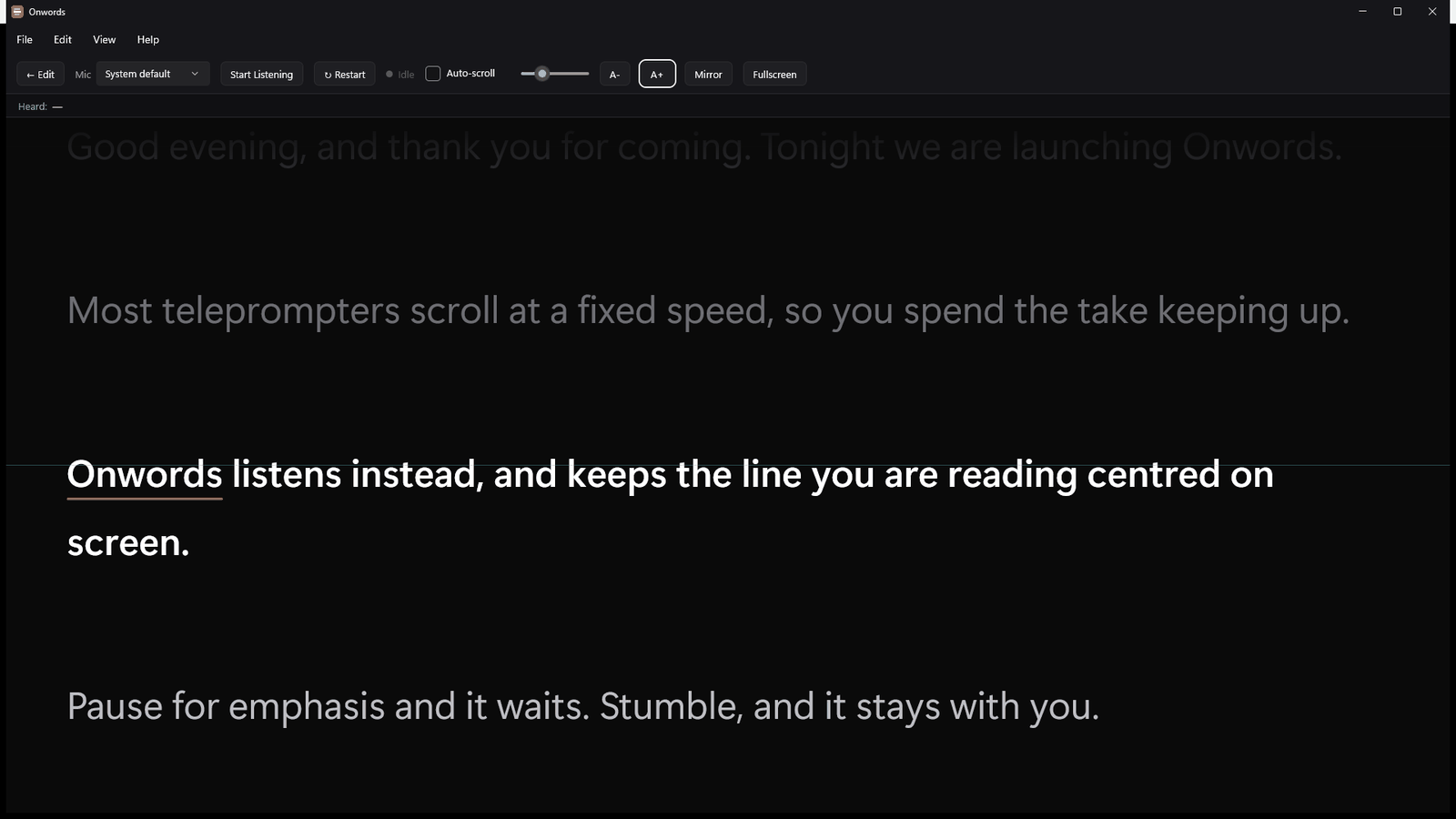
The script follows your speech, not a timer. Your current line sits on the guide line and the text moves to keep it there.
 Onwords
Voice-activated teleprompter for Windows
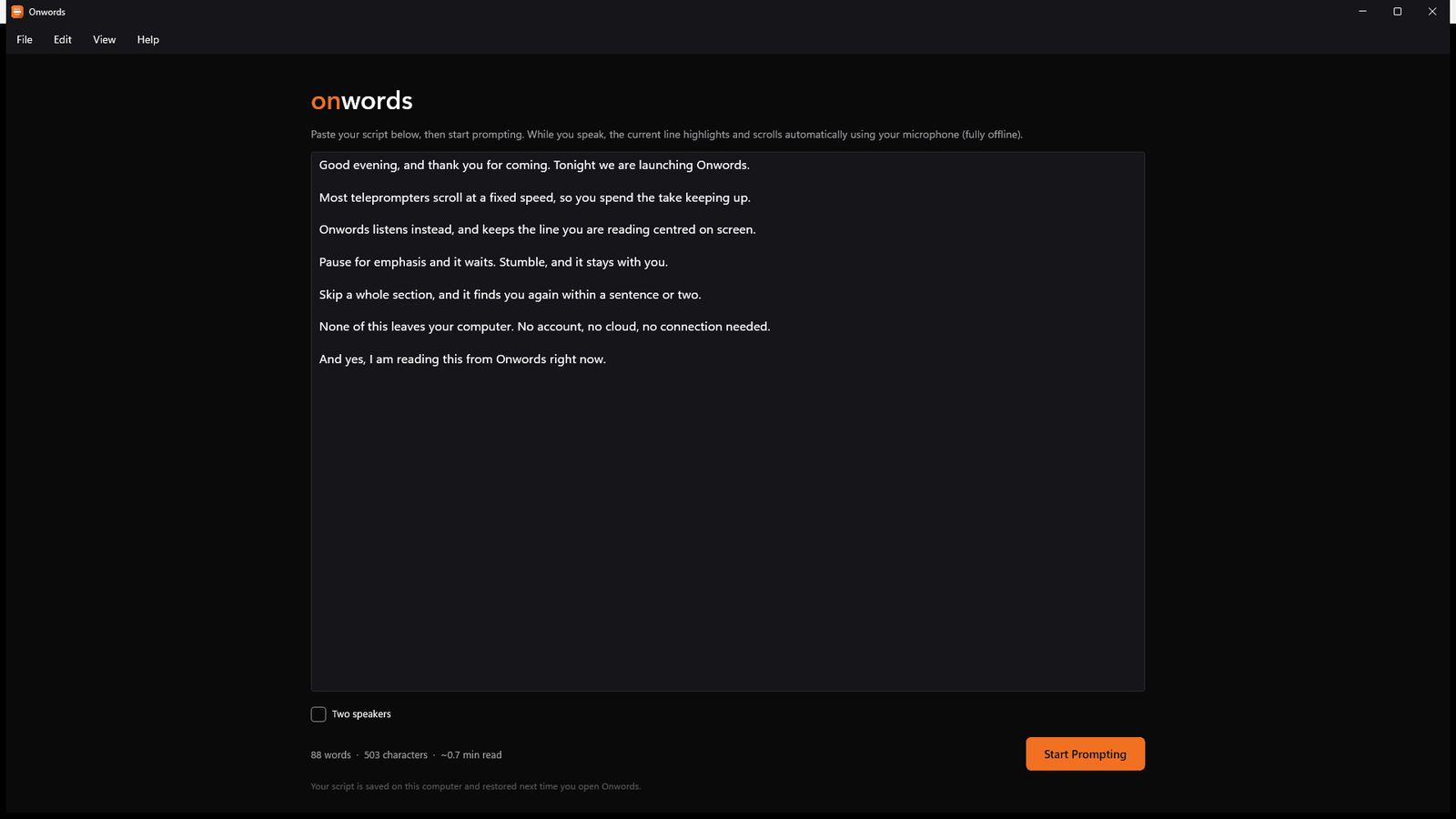
Paste in your script, start talking, and the line you’re reading stays centred on screen as you speak. Pause for emphasis and it waits. Stumble, and it stays with you. Skip a whole section, and it catches up.
Out now on the Microsoft Store — Windows first, with other platforms in the works.
Free 7-day trial, then one payment. Never a subscription, and no account. See how it works ↓

A simulation of the app. In Onwords, this is your own script and your own voice.
The problem
The text is moving, you’re not quite with it, and every take becomes a negotiation between how you want to say the line and how fast the words are sliding past. Speed it up and you gabble. Slow it down and you drift. The performance ends up serving the equipment.
Onwords inverts the relationship. It listens, works out where you are, and moves the text to match you.
| Traditional teleprompter | Onwords | |
|---|---|---|
| Sets the pace | The machine | You do |
| Needs an operator | Often | No |
| If you pause | Text keeps moving | It waits |
| If you ad-lib | You lose your place | It holds position |
| If you skip a section | Manual scrolling | It catches up |
| Your script | Depends on the tool | Stays on your machine |
| What it costs | Usually £10+ every month, forever | £19.99 once, and it’s yours |
Features
Everything here is in the app today — no roadmap items, no asterisks.
The script follows your speech, not a timer. Your current line sits on the guide line and the text moves to keep it there.
The speech recogniser is built into the app and runs on your own processor. No account, no cloud, no monthly subscription, and no connection needed at any point.
A few recognisable words are enough to hold its place, so stumbles, filler words and ad-libs don’t throw it. When it isn’t sure, it holds rather than guessing.
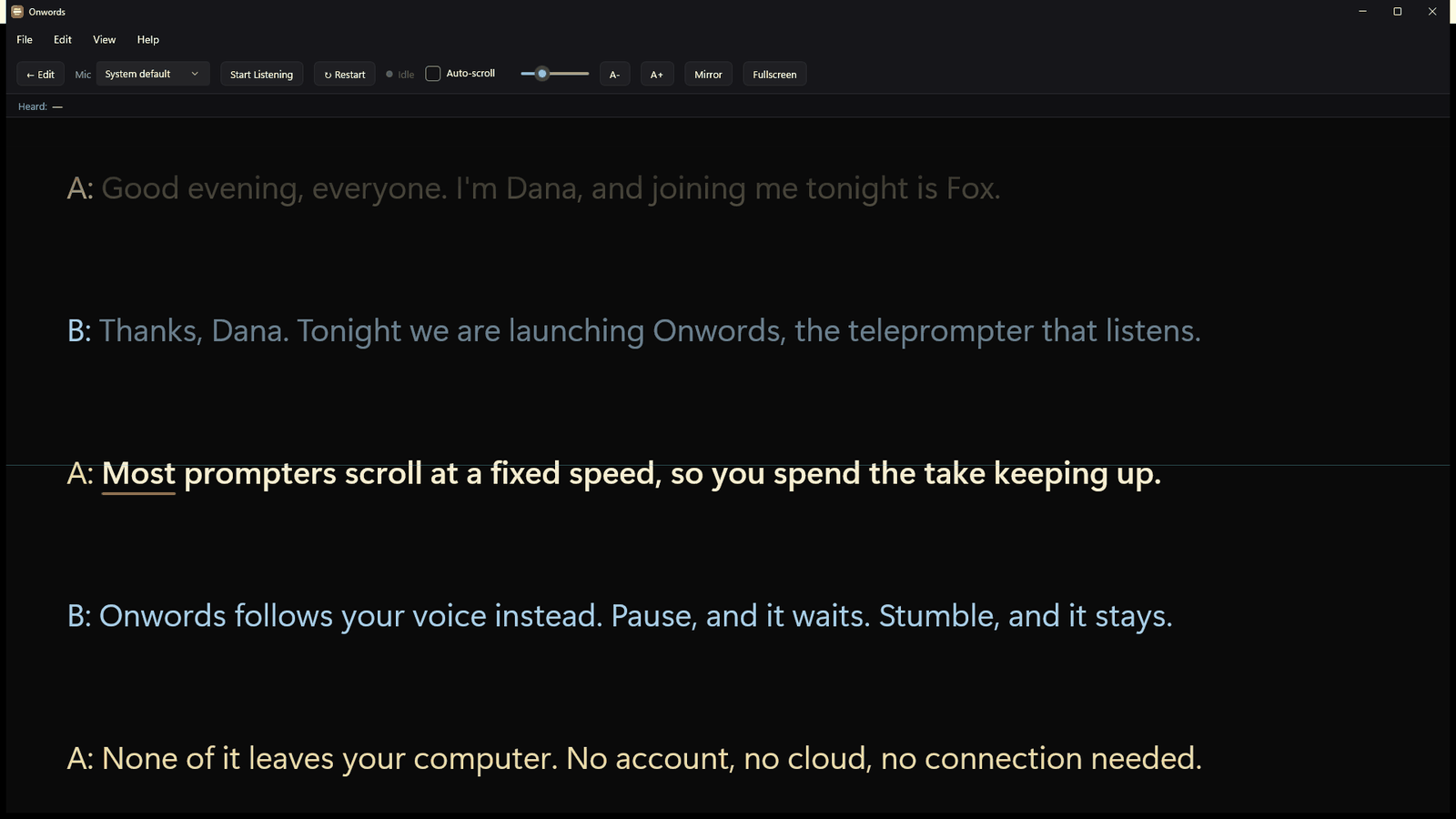
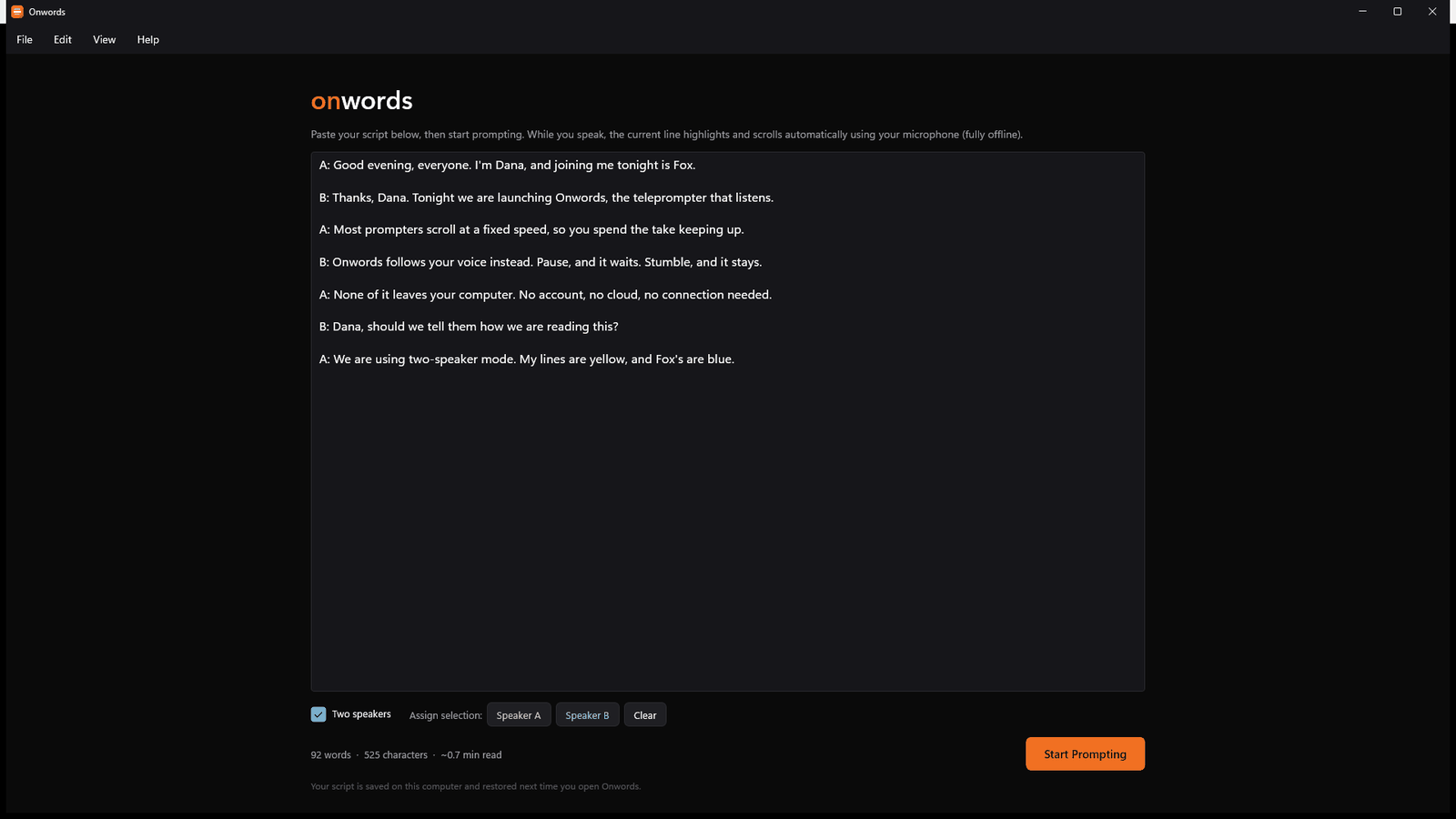
Assign lines to either speaker and each one is tinted on screen, so a handover is something you see coming rather than something you discover.
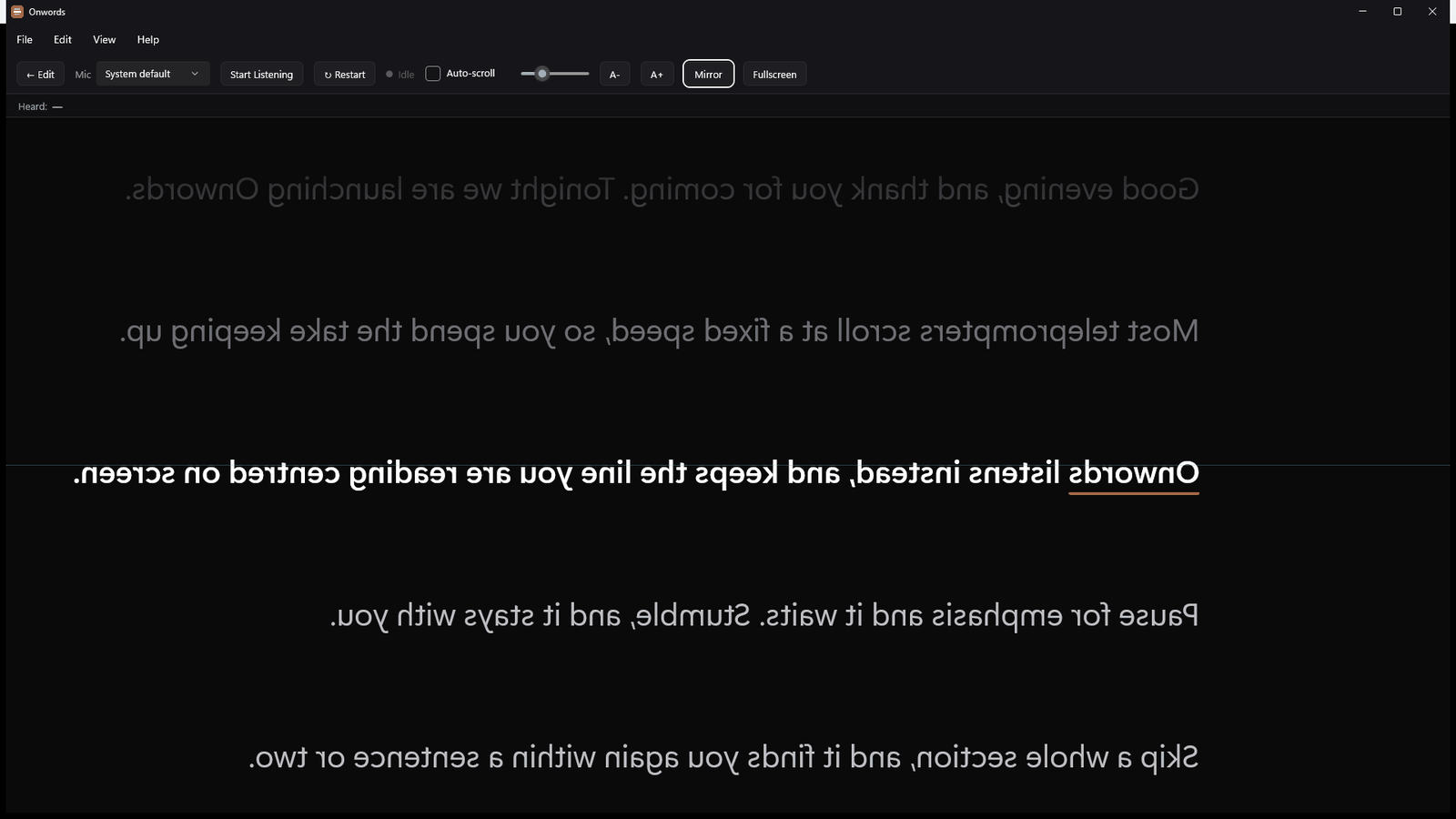
Flip the text horizontally for beam-splitter teleprompter glass, so you can read straight down the lens.
Run the prompter full screen on a second monitor while the controls stay on your laptop. Scale the type up or down for your distance.
Presenters rarely stand next to the laptop. A quiet microphone is lifted automatically, and the recogniser was trained on real-world speech — podcasts and video, not just studio narration — so it copes with distance and with accents.
Prefer a steady scroll? Switch from Voice-Follow to Auto-Scroll and set the pace in words per minute, with a Play button that waits for your cue.
On a Copilot+ PC, the Rewrite Script button beside the script box rewrites your script in another style — neutral, casual, concise, formal, or your own instruction. It runs on your device, and shows you the result before it changes anything.
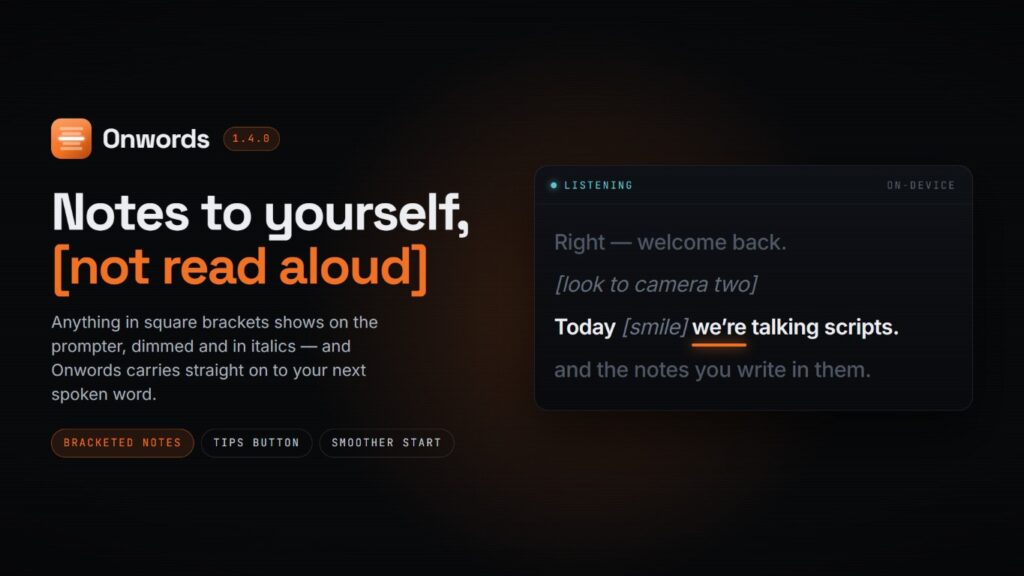
Write stage directions in square brackets — [pause], [look to camera two]. They show on the prompter, dimmed, and Onwords carries straight on to your next spoken word.
Camera-mounted prompters such as the Elgato Prompter and Prompter XL appear to Windows as a second display. Drag Onwords across and go full screen.
In a two-presenter script, each speaker’s lines are tinted in the editor as you type, in the same yellow and blue the prompter uses — so a long two-hander never reads as a wall of A: and B:.

No clicker. No operator. No guesswork.
Two presenters, one script
Co-hosted shows, interviews and double-act pieces all break a normal teleprompter the same way: one undifferentiated block of text, with no warning that your line is next.
Inside the app
Built with WinUI on .NET 8, with native builds for Intel and ARM. It starts quickly and sits at almost no CPU while you read — so it runs alongside OBS Studio, XSplit, Riverside or wherever you record your videos and podcasts, rather than competing with it for the machine. It is another window on another screen: no plugin, and nothing to configure.
Privacy
The speech recogniser is bundled inside the app and runs on your own processor. There is no cloud service, no API key, no account to create and no internet connection required.
How it works
Anything from a single paragraph to a full presentation. It’s saved automatically and restored next time you open the app.
Choose the one you’re actually speaking into. A live level meter shows it hearing you before you start the take.
The script follows you, keeping your line centred. Arrow keys nudge the position by hand at any moment.
Who it’s for
Video creators, corporate and marketing teams, keynote speakers, educators and course creators, livestreamers, webinar hosts and podcasters.
Scripted intros, ad reads and co-hosted episodes — with each host’s lines tinted on screen.
For podcasters
Hit the hook word for word, keep the energy up, and batch a week of videos without losing your place.
For social video
No second takes. Ad-lib into a question, come back to the script, and the prompter is still with you.
For live & webinarsFrom the blog
Onwords 1.4.0 is out, and the headline change in this update is one you can write straight into your script: notes to yourself. Stage directions in square brackets now appear on the prompter without Onwords trying to hear you say them. There’s also a Tips…
Questions
Yes, completely. Onwords needs no connection at any point — speech recognition runs on your own computer, using a recogniser built into the app itself.
Nothing breaks. The app needs only a few recognisable words to keep its place, so a fluffed line, a filler word or a short unscripted aside won’t throw it off. When it isn’t confident, it holds position rather than guessing.
Coming soon. Onwords is Windows first, and a Mac version is on the way — join the mailing list and we’ll tell you when it lands.
No. Onwords runs full screen on any display Windows can see — a laptop, a desktop monitor, or a Windows tablet propped beside the lens.
It works with prompter hardware too. The Elgato Prompter and Prompter XL connect over USB-C and appear as an extra display, so you drag Onwords onto one and go full screen, exactly as you would on a second monitor. For beam-splitter teleprompter glass, mirror mode flips the text horizontally.
Yes. Autocue is the everyday British word for a teleprompter — it was the company that made the first ones, and the name stuck. Onwords is teleprompter software rather than hardware: it does the same job as an autocue, on a screen you already own, and it follows your voice instead of scrolling at a speed you set beforehand.
£19.99, once (about $23.99). Most prompter apps we tried wanted more than £10 a month, forever. This costs less than two months of that, and then it’s yours.
There’s a free 7-day trial on the Microsoft Store with everything unlocked, so you can try it on your own machine, your own microphone and your own accent before you pay anything. The Store shows the price in your local currency.
Onwords for Windows
Onwords is out now on the Microsoft Store, with a free 7-day trial. Windows 11 and Windows 10, Intel and ARM.
Free 7-day trial · then £19.99 once, never a subscription · Windows 11 and Windows 10 · no account · your scripts never leave your computer